E-commerce CRM Integrations With Shopify and WooCommerce
How Shopify and WooCommerce integrations differ in speed, complexity, and data reliability.
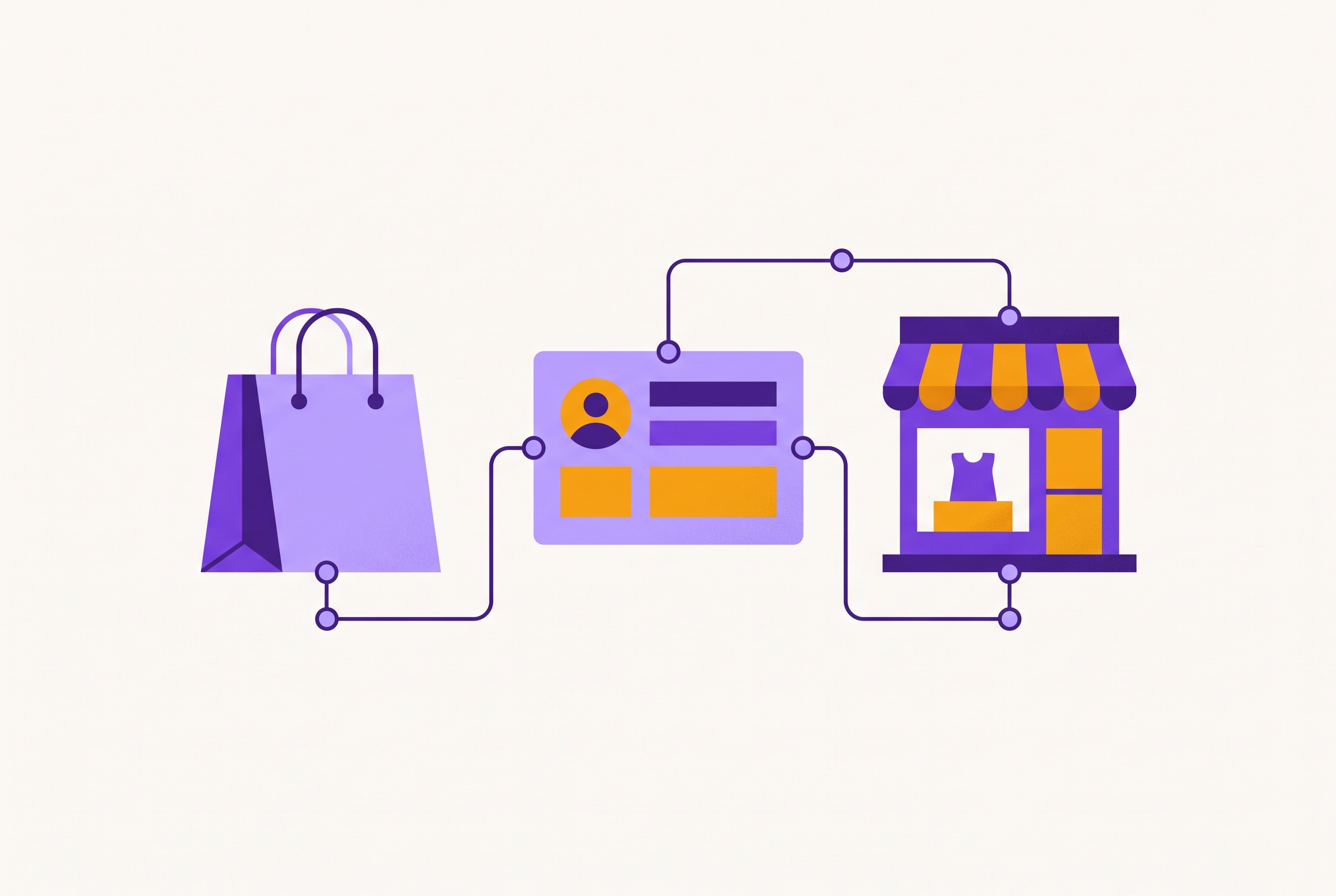
Shopify and WooCommerce don't come with a CRM built-in, which is intentional because they focus on handling sales and product inventories, leaving customer relationships to external tools. Many businesses have built their services to fill that gap, but they often downplay the complexity of doing so. This article explains the ins and outs of how CRM integrations function, looking closely at each platform and its features, while pointing out areas where the marketing downplays challenges.
How the two platforms differ in ways that shape every integration decision
Shopify operates as a fully managed, hosted platform. Shopify operates within a controlled, hosted environment where merchants must adhere to specific API limits and use its app marketplace. This self-regulation by Shopify is intentional: CRM providers create their solutions based on a single, well-documented API. As a result, most major CRMs provide a quick Shopify installation process that takes only minutes, rather than weeks.
WooCommerce completely reverses that arrangement. WooCommerce sits atop WordPress, meaning the merchant directly controls their hosting, their database, and the patchwork of plugins they’ve assembled, often added piecemeal by different developers who never synced their work. That freedom can be both an advantage and a disadvantage. WooCommerce integrations vary wildly, some work as smoothly as Shopify’s, while others require custom coding against its REST API when no plugin covers the specific combo of subscription services, membership extensions, and custom checkout tweaks.
The way the data functions varies significantly, and this is where buyers frequently make mistakes. A CRM vendor only needs to set up the mapping logic one time for Shopify, as it uses the same order and customer schema for all stores. Unlike Shopify, WooCommerce stores create customer records that vary depending on the plugins used, forcing CRMs to first tidy up this inconsistent data before they can process it effectively. Size matters here as well: Shopify tends to attract merchants with bigger revenues and more traffic, whereas WooCommerce's extensive number of stores includes many smaller or content-focused sites, leading to vastly different CRM needs. a high-revenue brand and a small hobby shop face wildly different integration challenges, even though both use the same open-source platform. When we treat Shopify and WooCommerce as if they're the same kind of business, we overlook the very different ways their users actually operate.
What a CRM integration actually does when it connects to either platform
The core function of a CRM integration is to gather customer records, past purchases, product details, and how shoppers interact with the store, then combine all that information into one unified customer file in the CRM system. All the tasks that come after - like segmentation, automation, and reporting - rely on a smooth and accurate data pull from the store.
The main distinction lies in sync speed, which is a critical feature that buyers need to pay attention to. With real-time sync, a CRM profile updates instantly after a customer's action, allowing an abandoned cart email to be sent while the shopper still recalls adding the item to their cart. Hourly or daily batch sync may be cheaper, but it delays updates, which can ruin time-sensitive actions. Send that abandoned cart email eighteen hours later, and it comes across as if the store missed the customer’s intent entirely. This delay can mean the difference between a successful campaign and one that ends up in the spam folder.
A well-built integration doesn’t just track sales, it captures how customers explore your site, when they leave their carts behind, which product types they favor, their feedback, and past support issues. Buyers often underestimate the importance of bidirectional sync, which allows updates to flow freely between the store and CRM; for instance, when a sales rep updates a shipping address or a support agent adds a note, that change should appear on the store side as well, but many mid-market tools only support one-way data transfer. Businesses managing wholesale accounts, customer levels, or subscription setups require those specific fields to accompany the record rather than be left behind. When everything works as it should, marketing, support, and sales teams all see the complete customer profile, not just separate pieces of it.
Where integrations break down in practice
The quality of data is the foundation for everything, and a CRM takes on the existing problems in the source system without any questions. Accounts made by bots, duplicate customer records, and temporary email addresses all sync into the CRM quietly, and once they’re in, they silently undermine audience segmentation, lifetime value calculations, and ad targeting lists. When WooCommerce stores use multiple plugins that each create their own customer entries, the problem gets worse because the system requires a specific choice to be made about removing duplicates, instead of the CRM handling it automatically.
When a customer’s details get scattered across multiple records, it turns a simple transaction into a costly headache. When a shopper makes a purchase as a guest, sets up an account, and later contacts support with a different email address to request a return, the CRM system incorrectly treats them as three distinct customers. Shops on Shopify that process a lot of orders may encounter API rate limits during busy times, causing delays in the sync queue and resulting in real-time triggers activating late or not at all, particularly when the timing is crucial due to a surge in sales.
When two systems simultaneously update the same record during bidirectional sync, most integrations lack any meaningful conflict resolution logic. The system that updates the record most recently is the one that prevails, frequently replacing an accurate record with an outdated one without any notice. On top of that, when customer order and payment data moves into a CRM, it must comply with GDPR, CCPA, and other similar privacy laws, and many off-the-shelf integrations offer little visibility into where that data is stored or how consent is tracked, making it nearly impossible to manage either. Most of these problems stem from a single missed task: setting up deduplication and identity matching before the system goes live. Getting this step right is crucial, because once you do, the rest of the pipeline falls into place. If you skip that step, even the best tools further down the line won’t fix the mess of disconnected data you end up with, just a pile of untrackable figures that can’t be linked to actual customers.
How the leading CRMs integrate with Shopify — and where each one fits
Klaviyo is the most specialized CRM for Shopify, and when it comes to e-commerce marketing, it's often the best option to consider first. Klaviyo offers fast data sync for Shopify stores, and offers features tailored for e-commerce marketing. It's important to note: Klaviyo's pricing model may vary based on usage, a change that surprised stores with many inactive profiles. Klaviyo doesn’t support sales pipelines, it has no deal stages or activity tracking, since it’s designed for B2C marketing teams, not sales reps working toward quota targets. If you're buying Klaviyo expecting it to have sales-pipeline features, you're approaching it with the wrong expectations.
When businesses require marketing, sales, and customer support all in one system, the built-in Shopify app for unified platforms automatically syncs customer data, orders, and forgotten carts, something basic marketing tools can’t match once live chat and sales tracking become essential. The cost of this capability increases sharply at higher tiers, making it worthwhile only when team complexity justifies the expense, but many merchants end up paying for it before their needs reach that level.
Salesforce also links up with Shopify, but the setup process can be complex and time-consuming, making it more suitable for larger merchants with specialized tech teams and complex wholesale or B2B operations than for a small team of five. If you buy Salesforce before your business reaches that level of complexity, you’ll end up paying for a scale you don’t need yet. Some helpdesk tools integrate Shopify order information into support tickets, allowing agents to view complete purchase details without needing to switch tabs, thereby providing quicker and more knowledgeable support. Nutshell offers a Shopify integration for small and medium businesses, without the high cost of Salesforce.
The way the data functions varies significantly, and this is where buyers frequently make mistakes.
How the leading CRMs integrate with WooCommerce — and where the experience diverges from Shopify
On WooCommerce, there's simply much less standardization. WooCommerce’s setup means you’re constantly juggling plugin reliability, server tweaks, and how your data’s structured, things Shopify merchants never even notice, and no CRM can fix.
For a unified CRM platform, syncing basic contact and order data with WooCommerce typically works well, but more complex data such as custom data like order attributes or subscription details may require additional setup. This requires planning for developer hours during the initial setup, because you can’t expect a straightforward installation like you would with Shopify. Zoho CRM connects to WooCommerce stores via its API. However, its documentation may require additional review during setup.
For WooCommerce sellers focused on marketing automation and behavioral segmentation instead of managing a sales pipeline, ActiveCampaign is a perfect fit. Its strength lies in its automation logic, but be prepared for a steeper learning curve as workflows become more complex. Drip specializes in e-commerce marketing automation. Klaviyo works with WooCommerce, though the experience may differ from its Shopify integration. This difference should be enough to sway the decision on which platform to choose first for a store that relies heavily on marketing, provided the choice hasn't already been made.
WooCommerce prioritizes flexibility over simplicity, and achieving a seamless CRM integration often requires careful technical choices, unlike Shopify, where these integrations come ready-made.
The features that separate a useful e-commerce CRM integration from one that just connects
Many integrations link up without offering much more than that, and this is the key difference that buyers frequently overlook. Many vendors offer only a simple connection, using their demo to suggest more advanced capabilities. The true distinction begins with comprehensive customer profiles, merging orders, email interactions, support records, and browsing activities into a single, detailed record that genuinely aids in decision-making.
Most buyers don't grasp how important detailed customer segmentation is from the start. Creating customer groups based on how often they buy, their preference for certain product types, how recently they’ve purchased, and their likelihood to stop buying outperforms a simple list ranked by total orders, and it delivers significantly better outcomes than tools that rely on the same basic approach. Real-time automation should react to live customer actions, like when someone leaves items in their cart, completes a purchase, or stops engaging, rather than relying on delayed batch updates.
When it comes to handling complex event data, especially with a large number of orders, direct integrations generally outperform those that rely on a middleware connector, because each additional step in the process creates another opportunity for data to be lost or corrupted. Support for custom fields, like customer tier, subscription status, wholesale flag, and product preference, determines if segmentation can extend beyond the basic options provided by the platform. Compliance controls, like data residency, consent field sync, and audit logging, become mandatory as soon as a store starts selling to customers in the EU or California. Analytics should go beyond just tracking opens and clicks, delving into lifetime value per cohort, repeat purchase rates, churn likelihood, and revenue linked to specific processes. These metrics are crucial as they directly connect CRM performance to business outcomes.
How AI is changing what CRM integrations can do with store data
This is where things become truly compelling, and where many vendors begin making exaggerated claims. Some CRM platforms now use AI to analyze past orders and predict customer behavior. This means businesses no longer need to manually track these metrics in spreadsheets; instead, the system keeps the data fresh and actionable on its own.
AI-powered workflow tools are cutting the time between setting up an integration and launching a campaign. Some CRM platforms offer AI-powered assistants for customer data queries, rather than having to manually search through reports to find what they need. The change is significant: tasks that previously required a dedicated data analyst to identify customers at risk of leaving are now automatically highlighted by the CRM, altering who can respond to this information and the speed of their response.
Mobile's role in shaping integration decisions is often underestimated. A growing share of online shopping activity occurs on mobile devices, which means the valuable behavioral data like browsing sessions and cart interactions are primarily mobile-based. By integrating mobile app and web events with desktop data, AI models gain a more comprehensive view to make their predictions. The core principle stays the same: AI results depend entirely on the quality of the data you feed it. If you feed a predictive model duplicate records and bot accounts, it will confidently produce gibberish, making it look like a solid forecast. Data quality issues don't simply vanish when a tool becomes more advanced; instead, they can become costlier, as they start to influence automated decisions rather than being confined to a spreadsheet.
How to choose the right CRM integration given your platform, team, and growth stage
Focus on the specific task that the integration needs to accomplish, and avoid the temptation to choose the platform that offers the most features. Assuming that more features automatically translate to greater value is a costly error often made in this field. A specialized tool that excels in a single area, like Klaviyo for behavioral marketing, Gorgias for customer support, or Drip for e-commerce email, usually outperforms a more general tool that only manages to do a bit of everything.
Before you even think about features, make sure the platform is a good match for your needs. Make sure the integration links your CRM and store directly, not through an extra tool in between, and verify it supports your store’s real-world setup, including custom products, subscription plans, and wholesale pricing, before you get distracted by flashy features. How your team is organized influences this more than you might think. For example, one marketing manager handling campaigns will benefit more from an e-commerce CRM designed for that purpose, which includes ready-made workflows, than from a comprehensive platform that requires setup knowledge no one on staff has the time to acquire. Even when a unified system costs more, cross-functional teams, covering marketing, sales, and support, often end up needing it, since juggling separate tools ends up wasting time on redundant tasks and dropped communication between departments.
The company's current stage of growth also affects the equation. Implementing a complex system like Salesforce, which is designed for large enterprises, is difficult to rationalize if your revenue isn't at a certain level, since the benefits won't cover the extensive setup time involved. Before committing, question the vendor about their process for managing duplicates, filtering out bot accounts, and dealing with junk records before they impact segmentation or ad audience uploads. The response reveals more about the tool than any presentation, and most salespeople won't bring it up unless asked.
Before you pick a CRM tool, you need to figure out your strategy, and most merchants skip that step completely. What customer groups will you target, what actions will prompt them to stay, and what automated email series will you send once the system is active? Teams that answer that first tend to get more out of whatever CRM they eventually pick. Even with a perfect integration, the work doesn't end there; someone still needs to craft the email content, design the campaigns, and produce the supporting materials, which is often where the project stalls, failing to live up to its initial promise.
Sources
- https://www.orangemantra.com/blog/crm-ecommerce-integration-guide
Provided background on how CRM integrations gather and unify customer records, orders, and behavioral data from e-commerce platforms.
- https://www.shopify.com/blog/crm-integration
Informed the explanation of what a CRM integration does when connecting to Shopify and how customer data syncs into a unified profile.
- https://crm.org/crmland/shopify-crm-integration
Provided detail on how Shopify's standardized API simplifies CRM setup and why integrations vary across different CRM providers.
- https://www.shambix.com/why-woocommerce-crm-out-of-sync/
Explained why WooCommerce CRM integrations fall out of sync, informing the discussion of plugin-driven data inconsistency and deduplication challenges.
- https://www.addwebsolution.com/blog/shopify-integration-bottlenecks
Informed the section on integration failure points, including API rate limits causing sync delays during high-traffic periods.
- https://www.nutshell.com/blog/4-best-shopify-crms
Supplied the description of Nutshell as a Shopify CRM option suited for small and medium businesses without Salesforce's high cost.