Customer Journey Mapping in CRM Selection
Use data-backed journey maps to align CRM requirements with how customers actually buy.
Let's dispense with the version most people have seen: a colorful PDF produced in a workshop, full of cartoon faces and feeling words, that gets shared once and then lives in a Google Drive folder nobody opens again. That is not what we are talking about.
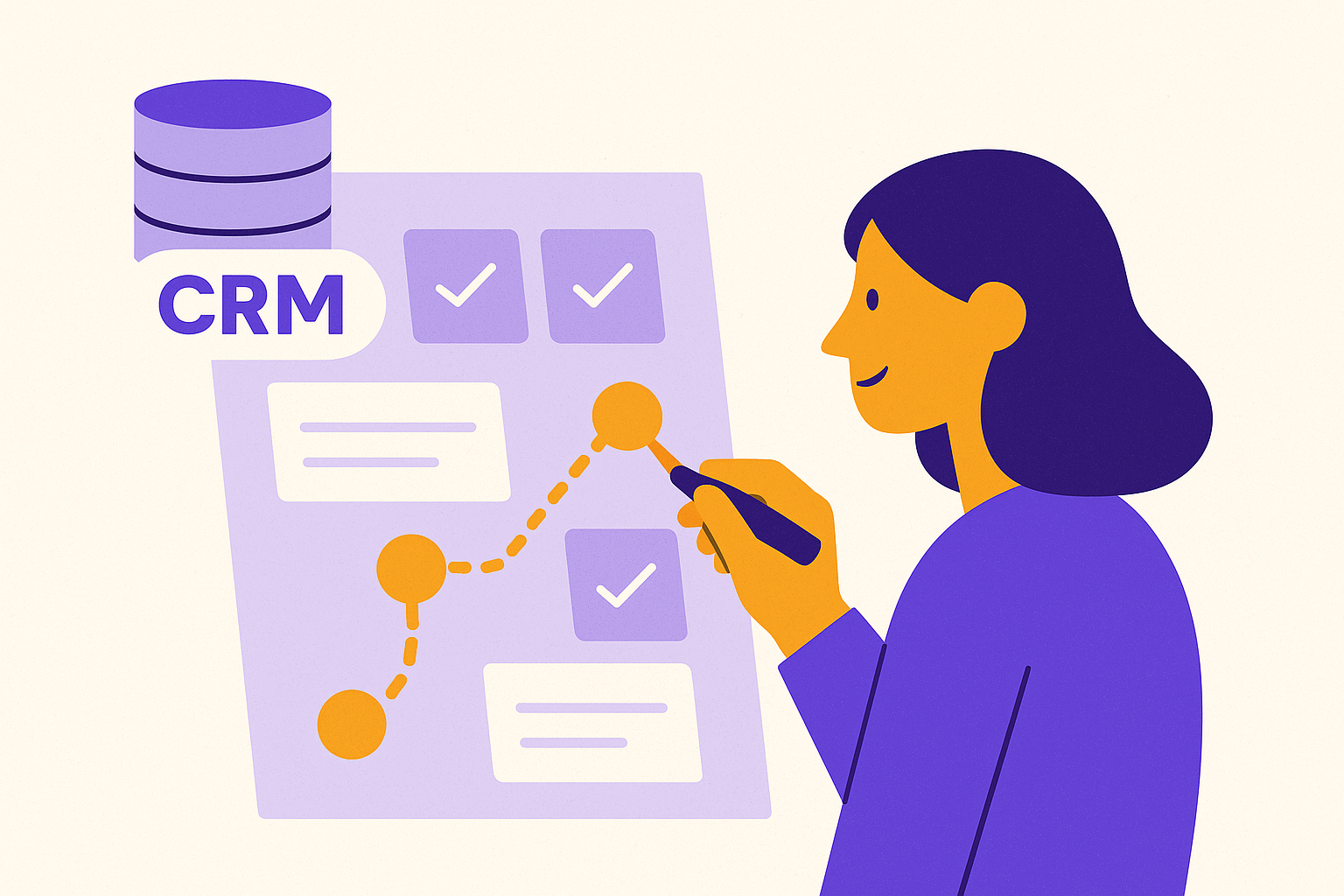
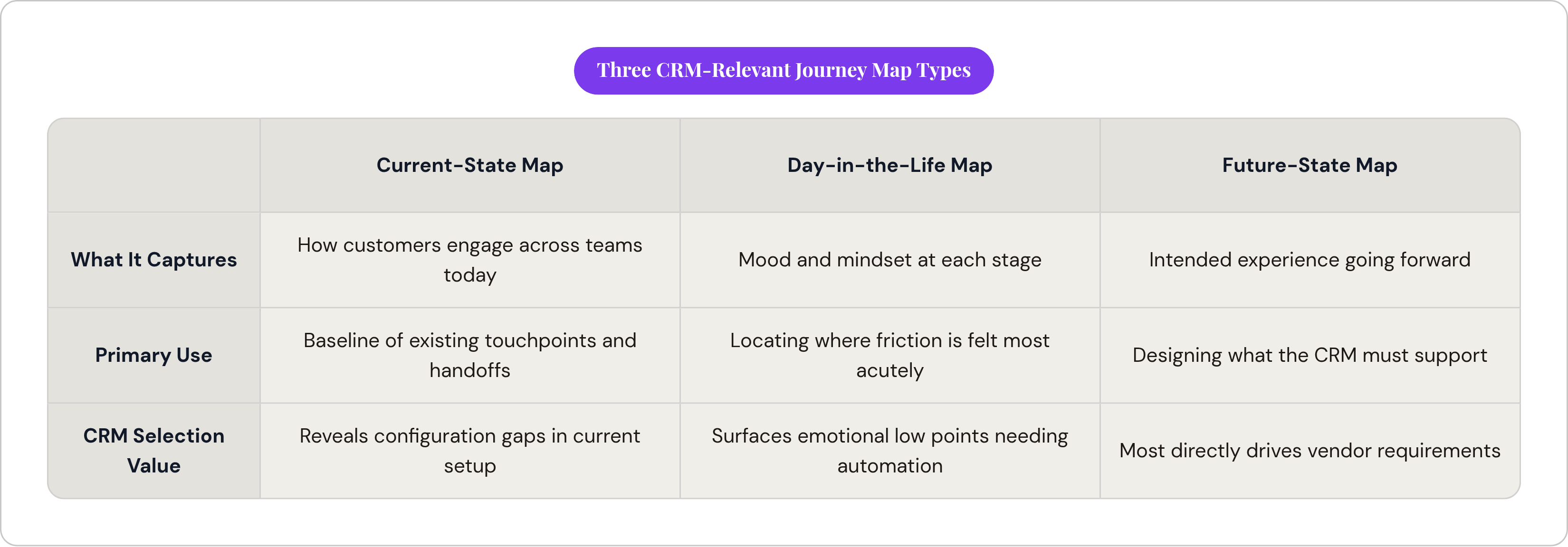
In a CRM context, a customer journey map is a structured, data-fed record of every interaction between a customer and the business, sequenced chronologically, annotated with what data is exchanged at each step and which team owns each handoff. Microsoft's Dynamics 365 documentation identifies three map types worth knowing. Current-state maps document how customers engage across marketing, sales, and support today. Day-in-the-life maps capture mood and mindset at each stage, useful for locating where friction is felt most acutely. Future-state maps project the intended experience going forward, which is the version most relevant to CRM selection because you are designing for what the system must support, not what it has been limping through.
The map's job, in this context, is to surface touchpoints, data requirements, and handoffs. Not to describe customer feelings in the abstract. Feelings are evidence, not the finding. The finding is the gap between what a customer needs at a given moment and what the business is actually capable of delivering.
One distinction worth stating plainly: journey maps built on assumptions rather than behavioral data tend to misidentify where customers actually drop off or convert. The temptation is to start with a whiteboard session where smart people reconstruct the journey from memory. Start instead with a data export: web analytics, CRM activity logs, support ticket histories, sales stage progression data. The whiteboard session becomes considerably more productive once the data has already told you where the surprises are.
The Gap Between How Teams See the Journey and How Customers Experience It
Here is the internal narrative most organizations believe: marketing owns awareness to lead; sales owns lead to closed deal; support picks it up post-sale. Three stages, three owners, clean handoffs.
That is rarely how the customer experiences it. Customers do not reorganize themselves according to your org chart. They consume marketing content during active sales conversations. They open support tickets in the middle of renewal negotiations. They have already formed opinions about the product before speaking to a salesperson.
The B2B context compounds this considerably. The buying committee contains parallel journeys, running simultaneously and largely ignorant of one another. The CFO is tracking ROI calculations. The IT director is running a concurrent security and integration assessment. The end-user is quietly hoping the new tool does not make their daily work worse than whatever they have now. Research has consistently found that the average B2B buyer completes more than half of their decision-making process before making first contact with sales, which means the touchpoints marketing owns are not preamble; they are primary, and they must be accounted for in any honest CRM requirements document.
Why exactly does this matter for CRM selection? Because when teams operate with disconnected definitions of the journey, no single system tends to get configured to serve all of them well. Touchpoints fall between owners, data accumulates in silos, and the CRM ends up as an expensive record-keeping system for whichever team was loudest during implementation. Most sales ops leaders I have worked alongside at companies operating without mapped journeys describe the same downstream costs: inefficient targeting, disconnected messaging, customer acquisition spend that cannot be attributed to anything. These are CRM configuration problems wearing a strategy disguise.
How the Journey Map Becomes a CRM Requirements Document
The translation from journey map to requirements document is not a metaphor. It is closer to a checklist, which is precisely why it works.
At each touchpoint on the map, you are capturing four things: (i) what data must be captured or retrieved at that moment; (ii) which team owns the interaction; (iii) what the handoff to the next team actually looks like; and (iv) what automation or trigger would improve the outcome if it existed. Work through every touchpoint in that sequence and you will have, at the end of the process, a precise and defensible list of what any CRM must do to support the actual journey.
The quality of that list depends substantially on the specificity of the language. "Improve customer experience" is a requirement that makes every vendor sound adequate. "Reduce drop-off at the payment confirmation step for repeat buyers by surfacing prior purchase history during that interaction" is a test case. Either the CRM handles that natively, or it requires a third-party integration, or it cannot do it at all. Now you have something to evaluate.
That raises an important question: who should build your list? Poor user adoption accounts for 43 percent of CRM failures, and bad data quality accounts for another 34 percent, according to published implementation outcome analyses. Both problems are visible before purchase if the right people are in the mapping sessions. Leadership alone is insufficient. The project sponsor alone is insufficient. The sales rep who actually logs activity, the support agent who escalates tickets, the marketing coordinator who transfers leads into the pipeline: these are the people in your organization who know where the handoffs break, because they are the ones working around them regularly. Involving them in the mapping process, rather than just go-live training, is change management before anyone has called it change management.
Building the Journey Map: The Steps That Produce CRM-Ready Output
The process itself is not complicated. What it requires is discipline about what counts as output. Feelings and observations are inputs. Requirements are outputs.
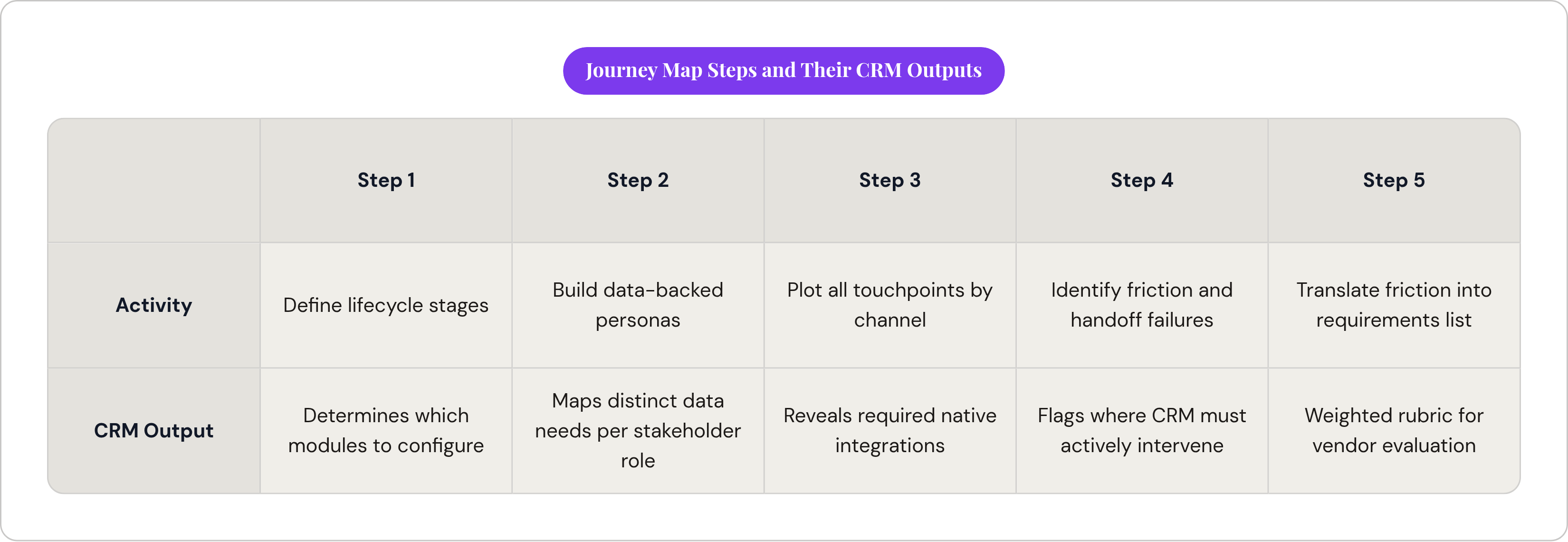
Step one is defining the customer lifecycle stages relevant to your business: at minimum, awareness, consideration, and decision. If your CRM needs to support post-sale growth, and in SaaS or subscription models it generally does, add retention and expansion. These are not decorative labels; they determine which CRM modules you actually need to configure, and which you can safely ignore.
Step two is building data-backed personas. Not demographic sketches. Pull from existing CRM data, web analytics, chat logs, and direct customer interviews. Include the psychographics and buying behaviors that explain why customers stall or convert. In B2B contexts, map each stakeholder role separately, typically (i) the economic buyer, (ii) the technical buyer, (iii) the end-user, and (iv) the internal champion. Each has distinct information needs at each stage, and a CRM that serves one of them poorly can become a political problem during implementation.
Step three is plotting every touchpoint across every channel: in person, web, email, phone, support ticket. Sequence them all, and for each one document what the customer is doing and thinking, what the internal team is doing in response, and what data is being exchanged. The channel detail is not incidental; it determines which integrations the CRM must support natively.
Step four is identifying friction points and handoff failures. Where do customers drop off? Where do internal handoffs break down? These are the specific locations where a CRM must actively intervene, rather than merely record what happened. Emotional low points on the map, the moments customers are most frustrated or confused, frequently indicate where faster internal response or automated follow-up would have the highest measurable impact.
Step five is translating friction points and handoffs into a written requirements list. Separate must-haves from nice-to-haves and flag integration dependencies at each stage. Which tools already in the stack must the CRM connect to? This list, not a feature checklist downloaded from a vendor's marketing page, is what drives vendor evaluation.
Matching Journey Map Outputs to CRM Capabilities During Vendor Evaluation
Use the requirements list as a weighted scoring rubric, not a binary checklist. Weight each requirement by how critical the corresponding touchpoint is to revenue or retention. A failure to automate a low-traffic touchpoint is a nuisance. A failure to surface renewal risk data during a high-value account conversation is a business problem. Those two failures are not the same, and evaluating them identically produces bad decisions.
The capability dimensions worth testing: (i) native integrations with the channels and tools that appear on your map; (ii) data governance features that enforce quality standards at the point of entry rather than after the mess has compounded; (iii) workflow automation at the specific handoff points your map flagged as friction; and (iv) reporting that reflects journey stages, not just deal stages. A pipeline view by stage is table stakes. The more revealing question is whether the CRM can show customer health across the full arc, from acquisition through expansion.
On artificial intelligence: businesses using AI within their CRM are 83 percent more likely to exceed sales goals, per available benchmarks, but that figure carries a condition that rarely gets mentioned in vendor demos. The AI must be operating on clean, well-structured journey data. AI working from incomplete or inconsistent records can produce confident-sounding recommendations derived from bad inputs, often worse than no recommendation at all. The journey map, by forcing data quality requirements to be defined before purchase, is what makes AI useful rather than decorative.
It is also worth evaluating the vendor landscape through the lens of journey complexity rather than company size alone. Salesforce holds roughly 21 percent of the global CRM market and ranks first across major regions; it offers the most complete feature set, but implementation complexity is real and should be weighed against what the journey map actually requires. Some platforms targeted at smaller teams hold an estimated 62 percent of SMB CRM installations and are a natural starting point for teams with more linear journey maps. Microsoft Dynamics 365 can be a strong choice when your journey map shows heavy reliance on Teams, Outlook, or Azure-hosted data, because native integration removes friction that would otherwise require workarounds and ongoing maintenance. When the journey map identifies content as a primary conversion driver, and surfacing the right content at the right stage appears as a named friction point, platforms that integrate CRM functions with content workflows at the operational level, Manifesto among them, become worth evaluating as part of a considered stack rather than as afterthoughts. A phased rollout aligned to journey stages, beginning with the highest-friction touchpoints identified during mapping, is substantially more likely to succeed than a full simultaneous deployment across all teams and channels at once.
The Operational Risk of Skipping the Mapping Step
Nearly half of CRM projects exceed their original budget, with an average overrun of 32 percent. Most of those overruns can be traced to requirements discovered after purchase. A journey map built before the RFP would have surfaced most of them at a point when information is cheap and contractual commitment has not yet been made.
The data quality dimension deserves particular emphasis. A 2023 Gartner report placed the failure rate for CRM implementations specifically attributable to poor data quality at 60 percent. Data quality requirements are largely visible during journey mapping and largely invisible during feature comparison demos. No vendor demo will show you what happens to your data six months after implementation when three teams are entering information using three different conventions because nobody defined standards before go-live. That scenario is not hypothetical; it is a common outcome when standards are not defined in advance.
One observation worth making: journey mapping adds time to a process you are already under pressure to complete quickly. That concern has merit, but it mistakes speed at the beginning for efficiency in total. Most implementation teams I have seen skip the mapping step end up buying for the features they can imagine needing rather than the workflows they actually have. They spend the post-launch budget on customization to close the gap that mapping would have made visible. The mapping step does not add time to the selection process; it removes the portion of the process that was likely going to be wasted.
Companies that invest in change management are 3.5 times more likely to succeed with CRM implementation. Journey mapping, done with the right stakeholders in the room, is change management, even when nobody calls it that. It builds shared vocabulary across marketing, sales, and support before any system is selected. That shared vocabulary, more than the platform itself, determines whether adoption happens or quietly stalls.
What Good Journey-Informed CRM Selection Looks Like in Practice
I have watched this process play out more than once, and the pattern is consistent enough to be instructive. Consider a mid-market B2B SaaS company, the kind running a sales-assisted motion with a meaningful self-serve component, that builds a journey map and discovers something its leadership did not initially believe: prospects complete the majority of their research before ever contacting sales. Pre-contact touchpoints, content, peer reviews, product documentation, represent most of the evaluative journey. Two friction points emerge: (i) the handoff from marketing to sales when a prospect finally becomes contact-ready is manual and delayed, costing time at precisely the moment timing matters most; and (ii) support interactions are invisible to the sales team during renewal conversations, meaning account executives are walking into high-stakes calls without knowing whether a customer has had three escalations in the prior quarter.
The data requirements that surface from this are specific enough to be actionable: (i) lead scoring must incorporate content engagement signals, not just form fills; and (ii) renewal risk assessment requires support ticket history alongside product usage data, in a single view accessible to your sales team without toggling between systems. Neither of those requirements appears on a standard vendor feature comparison matrix. Both are decisive.
Vendor evaluation then has concrete questions. Which CRM surfaces content engagement data natively, and which requires a third-party integration to approximate the same result? Which connects support history to the account record without custom development? Those questions eliminated several vendors before a single demo was scheduled, which is the correct order of operations.
The friction points and handoff failures documented in the map also became the phased implementation plan. The highest-friction touchpoints went first, producing visible results for end-users quickly and building the organizational credibility that sustained adoption through later phases. End-users from all three teams had been in the mapping sessions; their input had shaped the requirements, and their investment in the outcome reduced resistance at deployment. Not because someone executed a formal change management program, but because participation in the mapping process is itself a form of enlistment.
The journey map does not slow down your vendor evaluation. It replaces open-ended demos, where a capable sales engineer can often make a platform look like it does everything, with targeted tests of specific requirements, where the answer is either yes or no. That is a more honest process. It also tends to be a faster one.